Find the families
in your child's community.
Connect with families at your school, daycare, team, or camp. Coordinate carpools, pickups, and activities in one place.
Parent-led communities are started by families. Organizations can claim their community and verify families against an official roster.
From your first ride to year-long carpools.
Download the app, say hello to nearby families, meet up, then connect and carpool.
Download the app.
Sign in with your phone number. See nearby families on the same routes, and post a morning drop-off or afternoon pickup request.
The fastest way to find nearby families on the same routes.
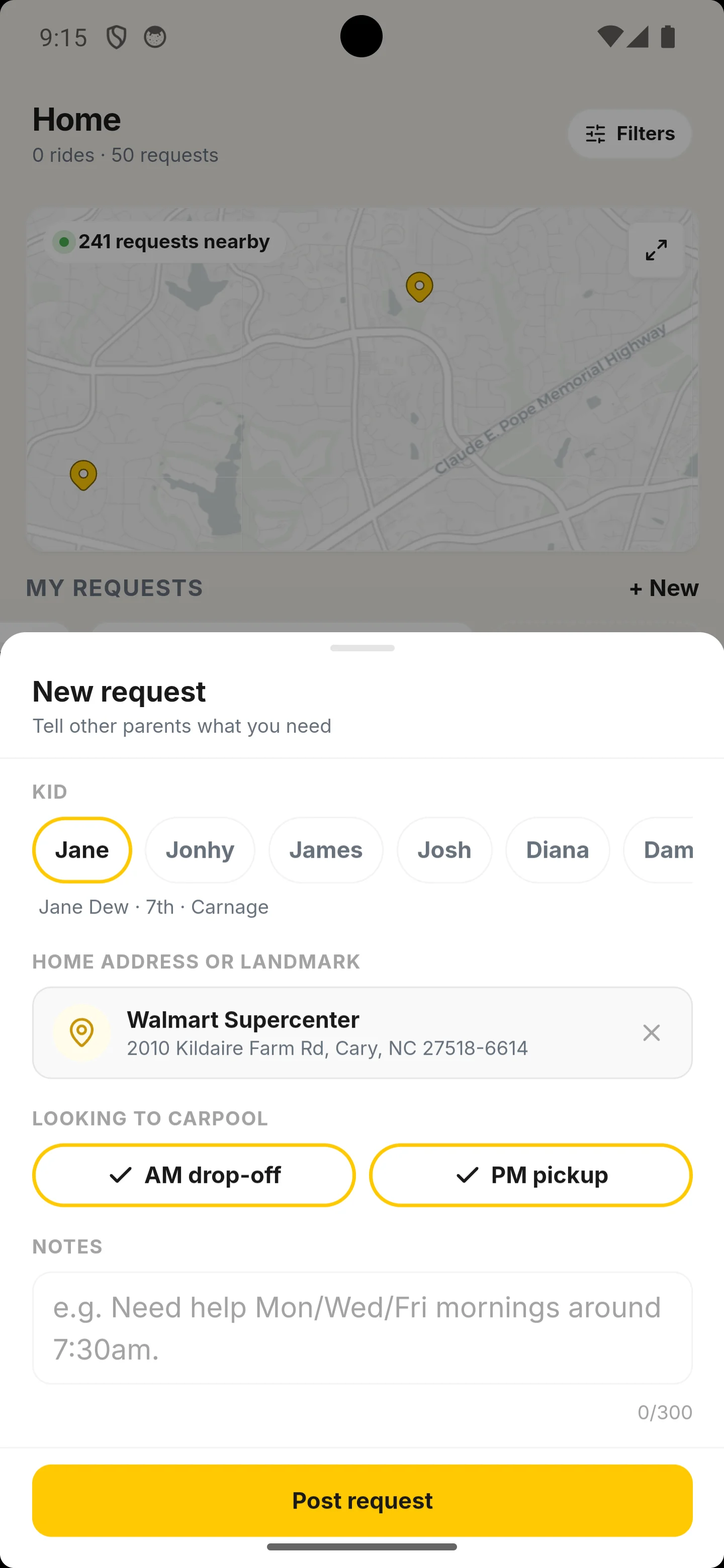
Say hello.
Browse families near you and message anyone whose location or schedule looks promising, or give a thumbs-up to a posted request. It's just a chat, not a commitment.
No public feed. No social media noise.
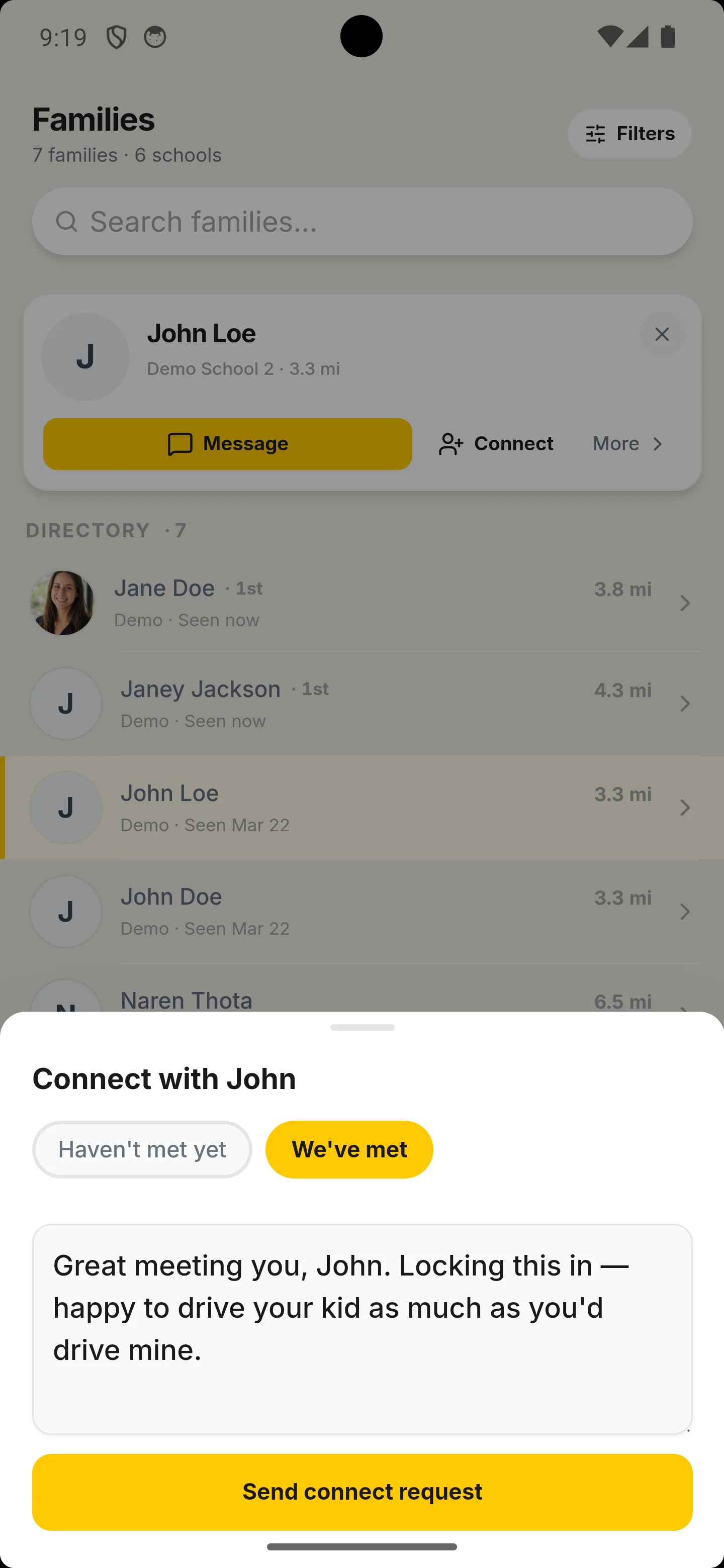
Connect with families you trust.
Connecting is mutual - once they accept, you can assign each other as drivers. Meeting up first is a good way to know it's the right fit.
Only connected families can build a schedule together.
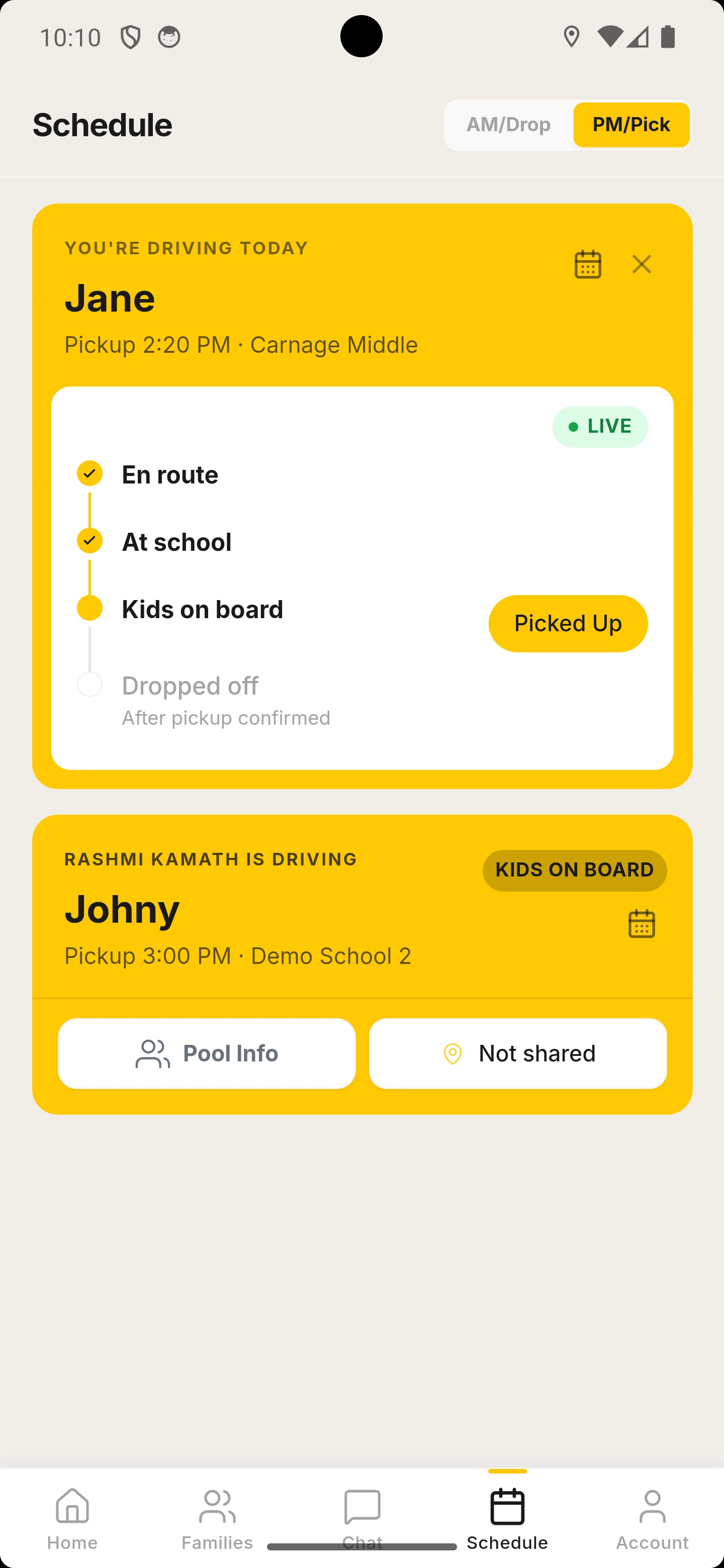
Carpool.
Share your driving schedules, take turns driving, and track pickups. No more "who's driving today?" texts.
Everything you need, in one place.
How to join.
Communities are started by schools, organizations, PTAs, or parents. Joining your community is quick and free.
Get an invite
Receive an invite link from your community.
Create your account
Verify your phone and build your family profile.
Join your community
See the families, groups, and requests connected to your school or activity.
Coordinate rides
Message families, compare schedules, and build carpools that work for your family.
Built around your family.
You choose who sees your profile, who you connect with, and when. We never sell your information.
Private
by default
-
Community-scopedOnly members of your community can see your profile.
-
No exact addressMaps show a neighborhood pin. Your address is never shown.
-
Never soldYour data is never sold to advertisers, brokers, or third parties.
Family
controlled
-
You choose who you contactYou decide which families you message, pause requests anytime, or delete your account from settings.
-
You vet your partnersMeet new carpool partners in person, confirm insurance and driving history, just as you would with any informal carpool.
-
Participation is always optionalYou opt in and control your involvement every step of the way.
Organization
backed
-
Verified communitiesSchools and organizations can make their community official.
-
Roster verificationFamilies are verified against the organization's official roster.
-
Real-time pickup coordinationIf your school uses dismissal management, staff confirm identity before release and send live updates.
Privacy is our promise.
We're a connection platform, not a data broker. Your trust comes first.
Family questions.
What families most often ask before joining Carpool.School.
Getting started
Do families pay to use Carpool.School?
Can I use the app if my school hasn't launched it?
How do I sign up?
You join Carpool.School through your community. There are two paths:
- From your school or org - if your school has a Verified community, you'll receive a personal invite link by email once they upload their roster. Open it, verify your phone, and create your profile.
- From another parent - if a parent in your community has already started it, they can share an invite link with you. Some parent-led communities are open enrollment, meaning any family at the school can join without a link.
Finding & organizing rides
Who can join my community?
What does Verified mean?
How do I find and connect with other families?
How do I set up a carpool request?
Will a carpool automatically form once I set up a request?
Is participation mandatory?
How does school pickup coordination work?
If your school has enabled dismissal management, the app coordinates pickups with staff:
- Set pickup plans - choose who is picking up your child and when.
- Announce arrival - share your location or tap to let the school know you've arrived.
- Verification - staff confirm your identity before releasing your child.
- Last-minute changes - update plans instantly; the school sees it immediately.
Trust & safety
Can other families see my exact address?
How does Carpool.School protect my family's privacy?
- Community-scoped visibility - only members of your community can see your profile.
- No exact addresses - other families never see your exact home address.
- Your data is never sold. See our Privacy Policy for details.
- You control connections - you decide which families you message and coordinate with.
Does Carpool.School do background checks on drivers?
Who decides who I ride with?
Who is liable for the actual carpool?
What are my responsibilities for carpool safety?
You're responsible for the same care and judgment you'd use arranging a carpool with anyone else, on or off the app — Carpool.School doesn't screen or certify any user's safety. A few practices other families find useful, not a complete list:
- Meet new carpool partners in person, in a public place, before the first ride.
- Verify their identity and confirm driving history, insurance, and vehicle condition.
- Exchange emergency contact information before the first ride.
- Carry a phone during rides in case you need to reach someone.
- Only form carpools with families you feel completely comfortable with.
- Trust your instincts - you are never obligated to participate.
Communities & accounts
What happens if my school later joins Carpool.School?
Can I use Carpool.School for activities, camps, and teams - not just schools?
Can I use Carpool.School for children at different schools?
Can I leave a community or delete my information?
What devices does Carpool.School run on?
Download the app. Join your community.
Free for families. Available on iOS and Android.