The Staff Path: Set Up Your Community in Four Steps
June 12, 2026 · Krishnanand Kamath
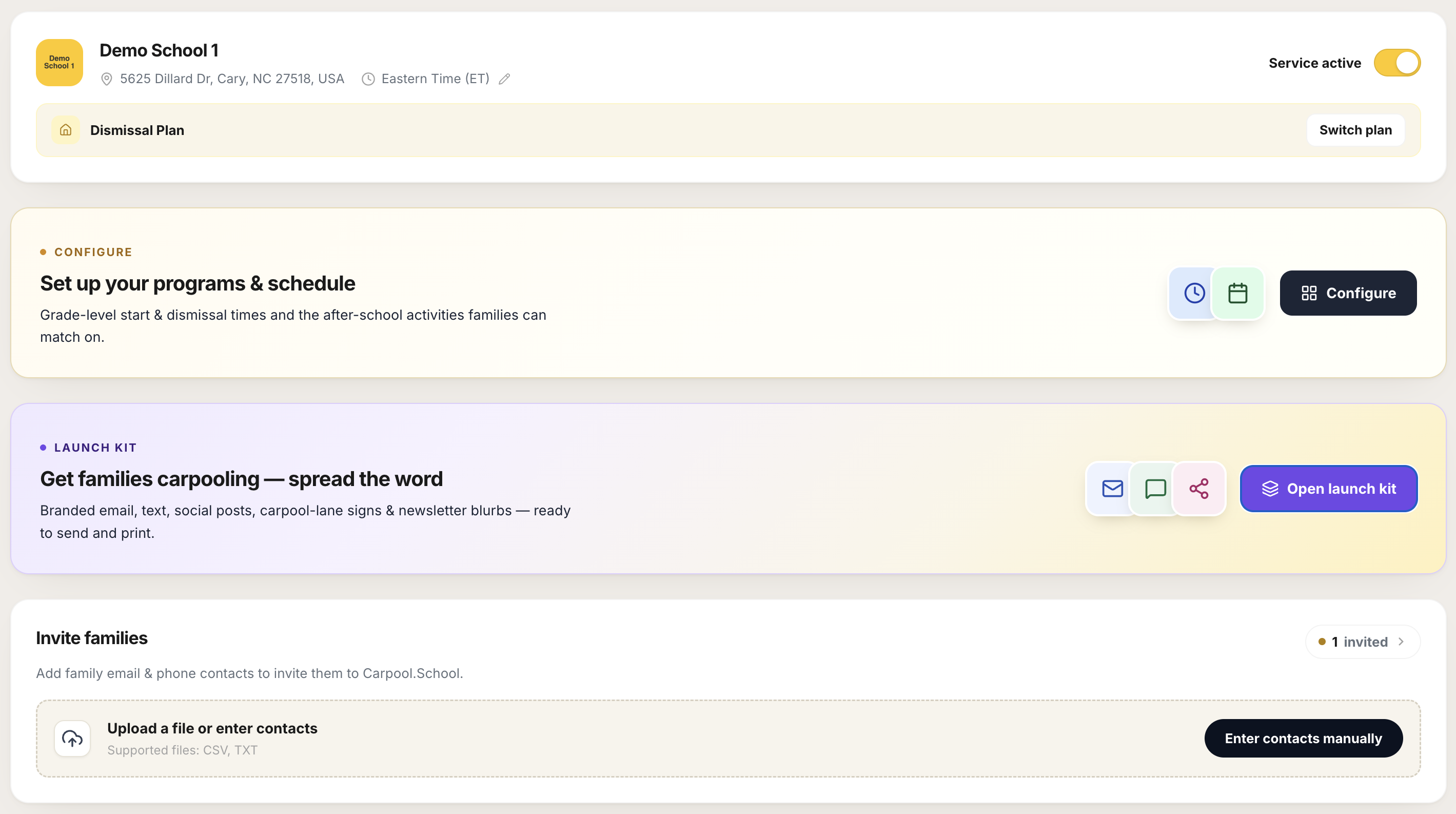
Carpool.School has two ways to start a community. This is the staff path.
It gives you roster verification, personal invitations, and a fully managed community. Four steps, in order.
Many staff communities began as parent-led ones that converted once the organization was ready. If you're not there yet, The Parent Path is the faster start.
1. Activate service and choose your plan
Flip the Service active toggle. Until you do, your community is invisible. Families cannot find it or join it.
Then pick your plan. The base carpool service lets families coordinate rides. The Dismissal Plan adds release management on top, useful if your org also manages pickup, not just carpools.
2. Set up programs and schedule
This is what makes the app useful to your families before they talk to anyone.
- Schedule groups: one per program tier with a distinct start time. Families select the group that matches their child, so they only see families with compatible pickup windows.
- Events and activities: a list you curate. Families tick what applies to their child. A family looking for a soccer carpool will surface others heading to the same activity, not just families nearby.
The more completely you fill this in, the more relevant the families your community members see.
3. Spread the word
Open the Launch Kit. It generates six ready-to-share materials (email, group-chat text, social post, flyer, yard sign, newsletter blurb) branded with your community name and invite link.
Share these before you invite families, not after. Awareness comes first; the invitation is what they act on once they know it exists.
See The Launch Kit for the full breakdown.
4. Invite families
For staff-led communities, families need a personal invitation to join. There is no shared signup link. Access is individual, by invitation only.
When you send an invitation, the family gets a personal email with a link to join. Until they use it, they sit in the Invited families list as pending.
That list is where the real work happens:
- Reminder due surfaces anyone who was invited a while back and still hasn't joined. These are the families worth nudging; one resend often gets them in.
- Resend sends them a fresh invitation. The invite log shows how many times they've been contacted and when.
- Revoke removes their invitation entirely, useful if someone left the program or was added by mistake.
The goal is a clean list: families who joined are off it, families who haven't joined either get a reminder or get removed. A long stale pending list means the invitation didn't reach them, landed in spam, or they're not interested. One resend is worth it; after that, revoke and move on.
What stays private
Families signal interest, your org sends a personal invite, and only those who create an account and accept the terms become visible to others. Contact info for anyone who never joins isn't kept. Your community contains exactly who chose to be in it. How privacy works
Questions? support@carpool.school